Cancelling an invoice with a credit note
A proper cancellation doesn’t delete the invoice — it issues a credit note that offsets it.
An invoice reported to or cleared by ZATCA is never deleted or switched to cancelled by hand — it is cancelled with a full credit note for the same amount and VAT.
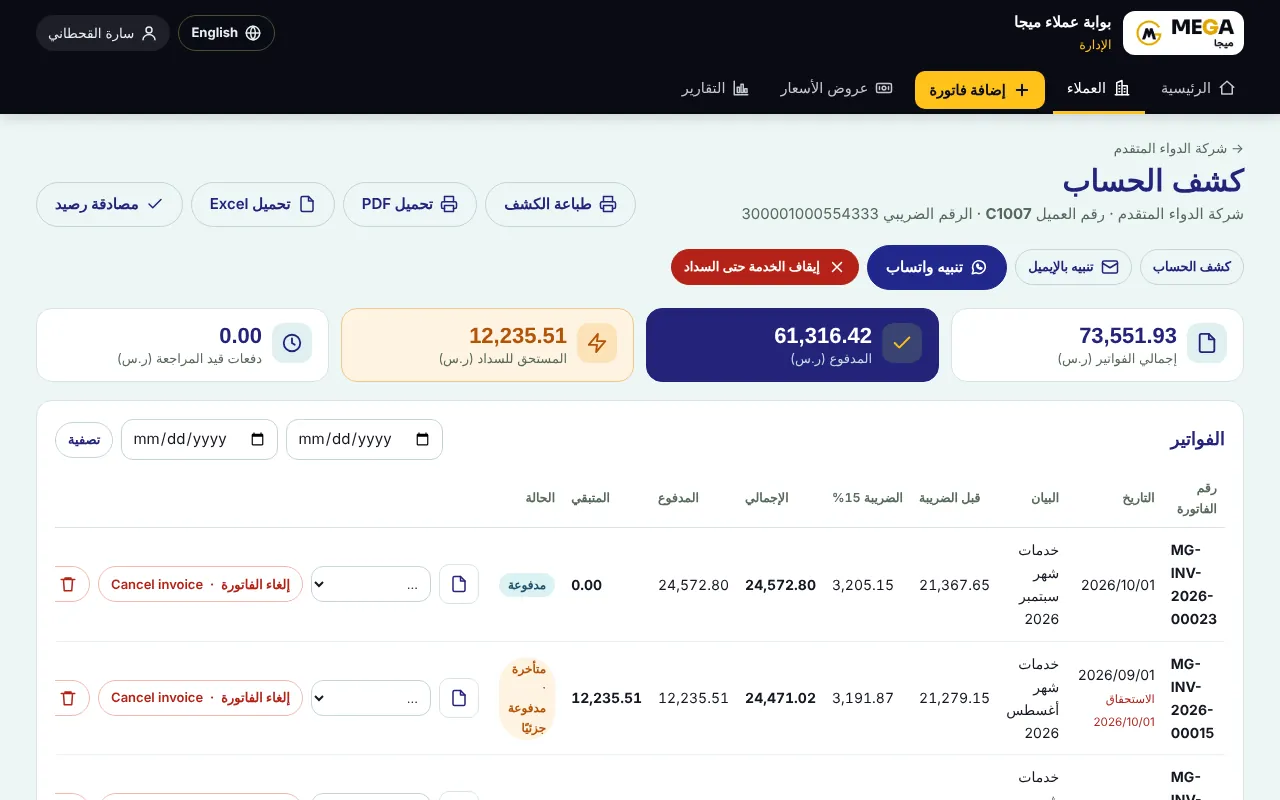
Open “Clients” → the client → “Statement”, and press “Cancel invoice” next to the invoice (or from the invoice page itself).
A dialog explains what happens: a full credit note with the same amount and VAT is reported to ZATCA, and any paid amount stays as client credit.
Type the reason (required; pre-filled “Cancel invoice”) and press confirm. “Back” closes the dialog without changes.
The “Credit Note” page opens with a CN-series number (e.g. CN-2026-00001) that does not consume an invoice number, with the original invoice reference, the reason, today’s date, the ZATCA status and the QR.
The original invoice is stamped “Cancelled” and settled in the statement.
Screenshots come from a demo copy with sample data.
Frequently asked questions
What happens to an amount already paid?
It stays as a credit balance in the client’s statement, used against future invoices or refunded.
Does the past period’s VAT return change?
No. The credit note posts on its own date, so output VAT drops in its period and the original period stays as it was.
Was this article helpful?
What could be better? (optional)
We only store vote counts — no personal data.