Issuing an e-invoice with “Add invoice”
From anywhere in the portal to an issued invoice with a QR code in under a minute.
Issuing your first e-invoice
Silent — on-screen captions in Arabic
The “+ Add invoice” button is shown only to management and the accountant: in the portal’s top menu, on the home page, on the clients page and in the accounting section of the admin hub — all open the same screen.
Press “+ Add invoice” in the top menu.

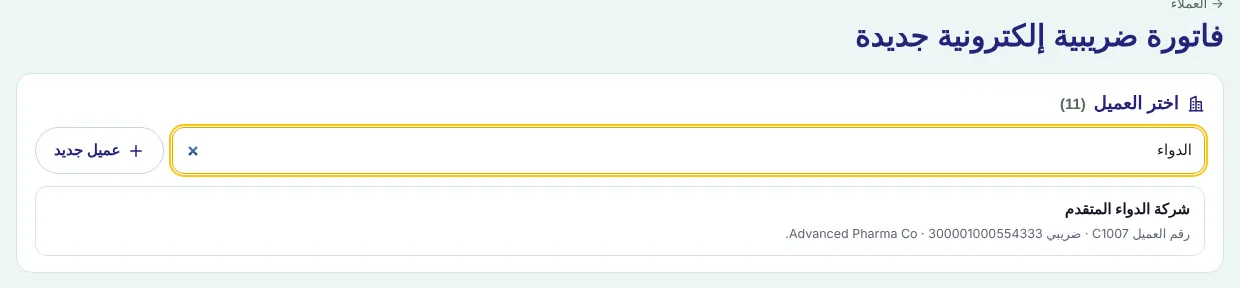
Under “Choose the client” type part of the name, the client number or the VAT number — results appear instantly even with hundreds of clients, and Enter opens the first result.
Check the “Buyer” box: the “Invoice type” is a tax invoice when the client has a VAT number, otherwise simplified.
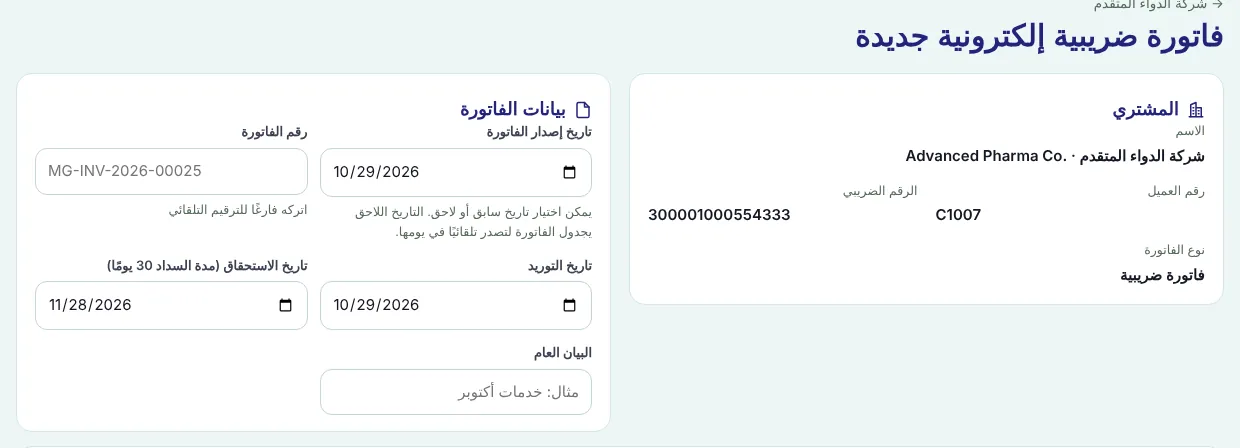
Under “Invoice data” leave the “Invoice number” empty for automatic numbering, and check the issue date, supply date, due date (from the client’s payment term) and general description.
Under “Invoice items” pick the description from the client’s prices or “Other” and type it, then quantity, unit and unit price. Add a line with “Another item”.
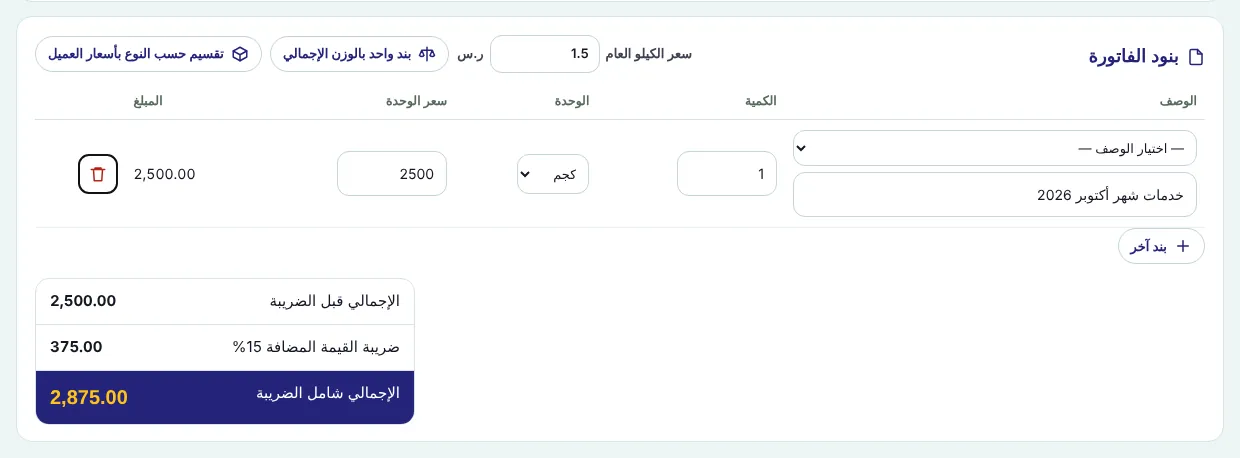
Check the subtotal, the 15% VAT and the total including VAT.
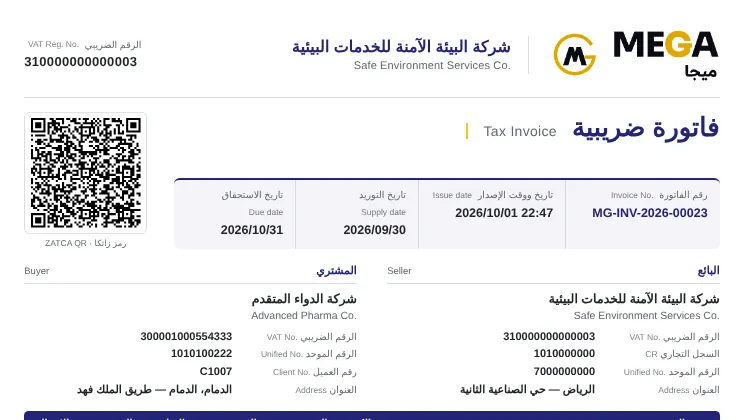
Press “Issue invoice” and confirm. It is issued with a serial number and a QR code, and appears in the client’s statement immediately with an email notification.
Every non-cancelled invoice is posted to accounting automatically: debit the client, credit revenue and output VAT.
Screenshots come from a demo copy with sample data.
Frequently asked questions
Why don’t I see “Add invoice”?
It is shown only to management and the accountant — not to clients, technicians or drivers.
Can I choose a past or future issue date?
Yes. A past date is allowed, and a future date schedules the invoice to be issued automatically on that day.
Tax invoice or simplified?
A tax invoice goes to a client with a VAT number, a simplified invoice to a client without one. MEGA picks the type from the client file.
Was this article helpful?
What could be better? (optional)
We only store vote counts — no personal data.