Setting up ZATCA e-invoicing (Phase 2)
Connect once; after that every invoice goes to ZATCA automatically.
Setting up ZATCA e-invoicing
Silent — on-screen captions in Arabic
You do this once when integration starts according to your wave date, and again when the certificate is renewed or ZATCA asks for re-registration. After that every invoice is sent automatically.
Before you start
- Make sure the “ZATCA Phase 2” add-on is enabled in your licence (its card in the add-ons center does not show “Not subscribed”).
- Have the establishment’s login for the Fatoora portal
fatoora.zatca.gov.saready.
Onboarding steps
Open the “Add-ons center”, then the “ZATCA Phase 2” card.
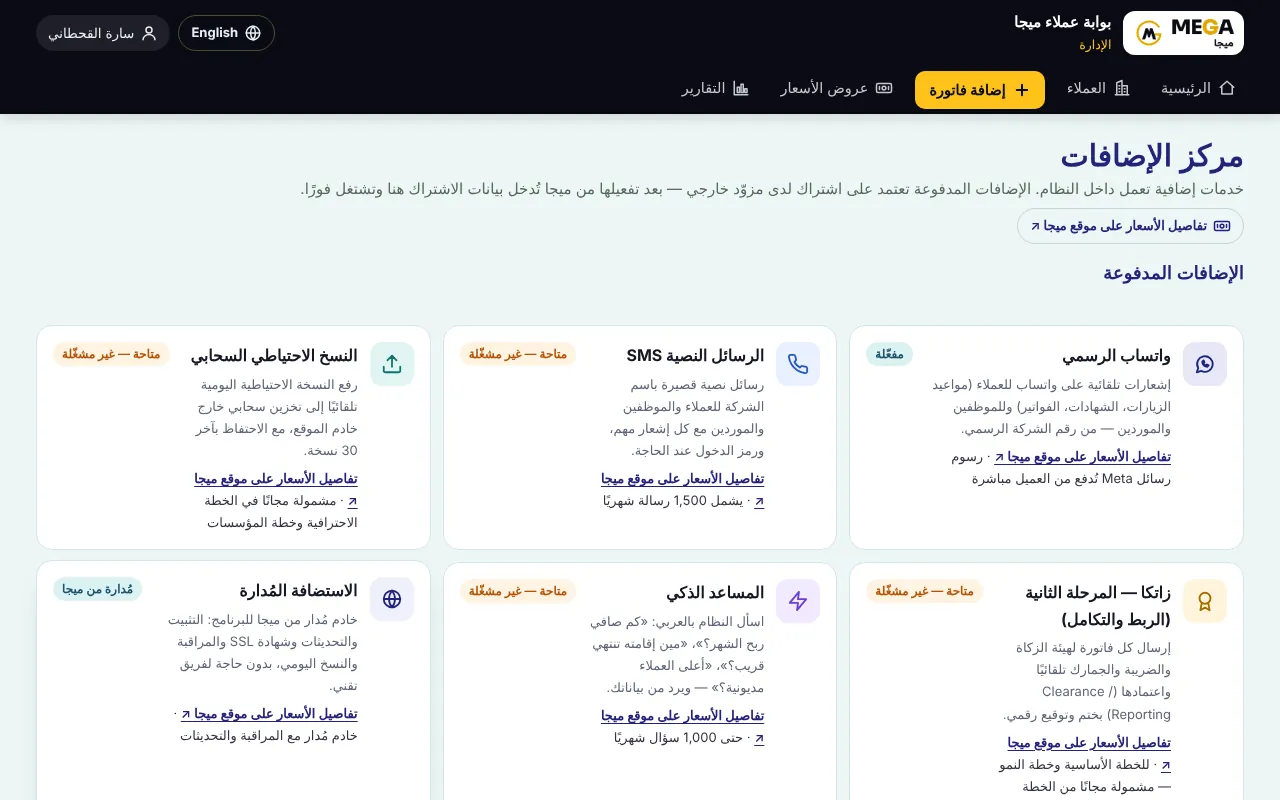
In “Settings” check the company name, VAT number (15 digits) and CR — they are read automatically and summarised above the address section.
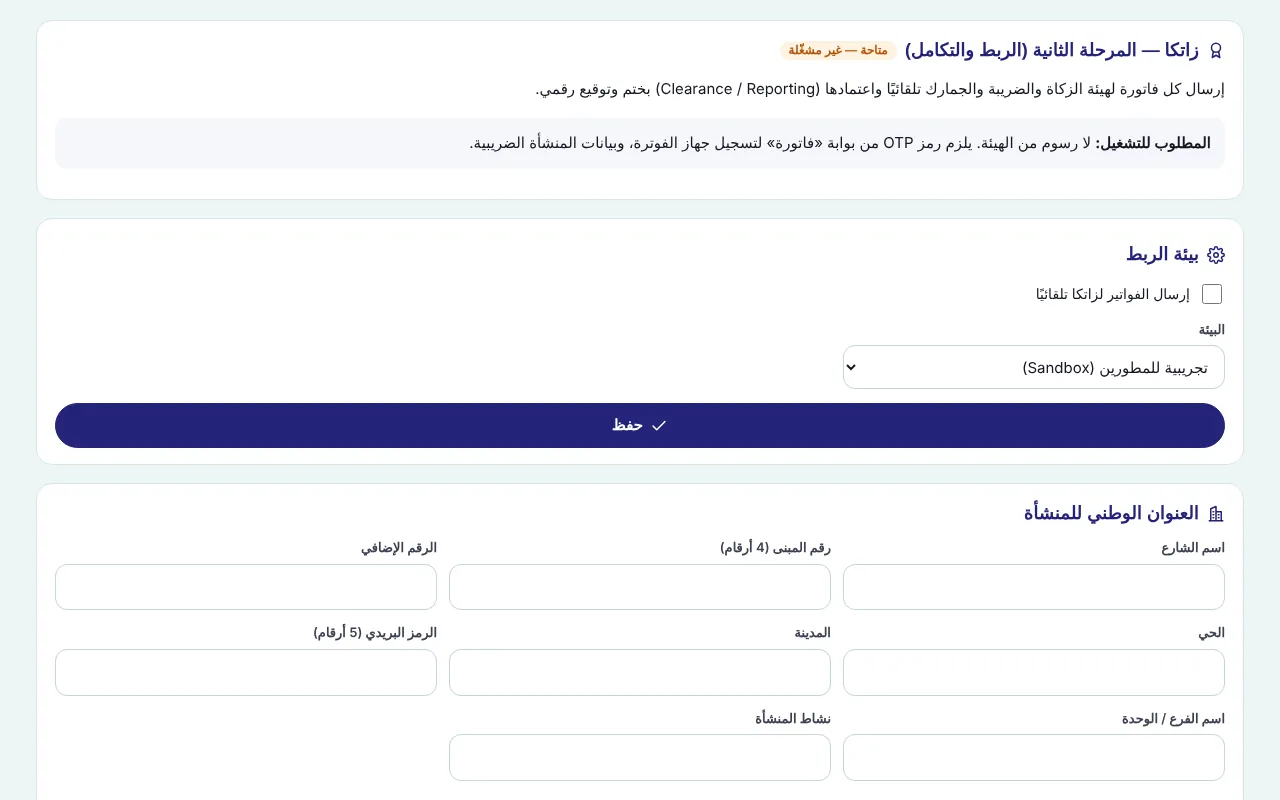
Under “National address of the establishment” enter the street, building number (4 digits), additional number, district, city, postal code (5 digits), branch/unit name and business activity, then “Save address”.
Under “Connection environment” choose “Simulation” to test first, tick “Send invoices to ZATCA automatically” and save.
Sign in to Fatoora with the establishment account, onboard a new solution unit and request an OTP (valid one hour, single use).
Under “Register the e-invoicing device” enter the OTP and press “Register”: MEGA creates the key and certificate request, runs the six compliance checks and receives the certificate automatically.
“Registered” appears with the date, certificate validity and documents sent, plus “Compliance check results” with a ✓ for each document.
After a successful test switch the environment to “Production” and save, then request a new OTP from Fatoora and press “Register” again.
Press “Test connection” to confirm: it shows “Production certificate valid until…” and the current counter.
Screenshots come from a demo copy with sample data.
Frequently asked questions
Simulation or production?
Simulation tests the connection without real invoices; production is for real invoices. Registration is stored separately per environment.
The OTP expired before registering?
Request a new one from Fatoora; an OTP is valid for one hour and single use.
Was this article helpful?
What could be better? (optional)
We only store vote counts — no personal data.