Running, approving and paying the payroll
Prepare → review → approve → pay: four steps every month.
Running the payroll
Silent — on-screen captions in Arabic
The payroll run is the official monthly salary sheet. Prepare it once attendance and leave are complete. Payslips are not visible and advance instalments are not deducted until it is approved, and salary is not paid until the payment is recorded.
Open “Payroll” and choose the “Month”.
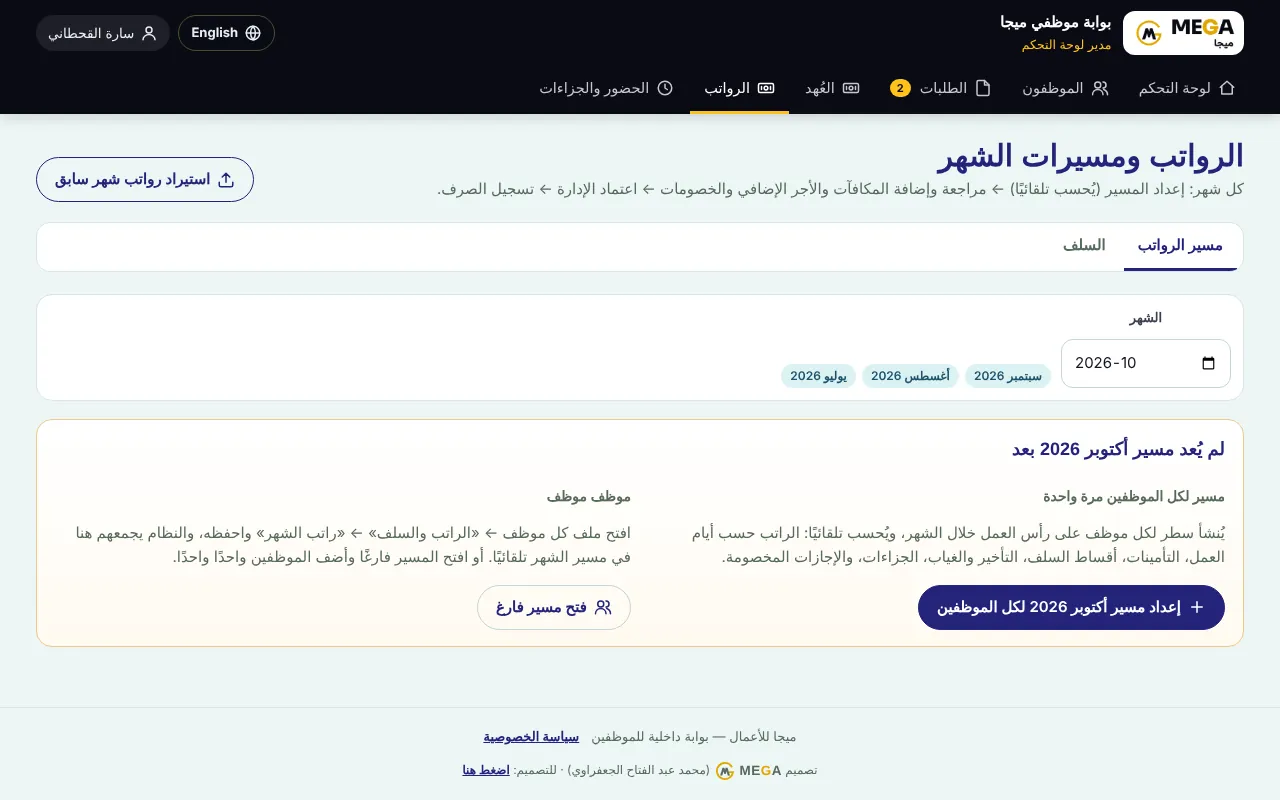
If it is not prepared, press “Prepare … payroll for all employees” (automatic for everyone), or “Open empty payroll” and add employees one by one.
Review the table and tiles: employees, total earnings, total deductions, net salaries.
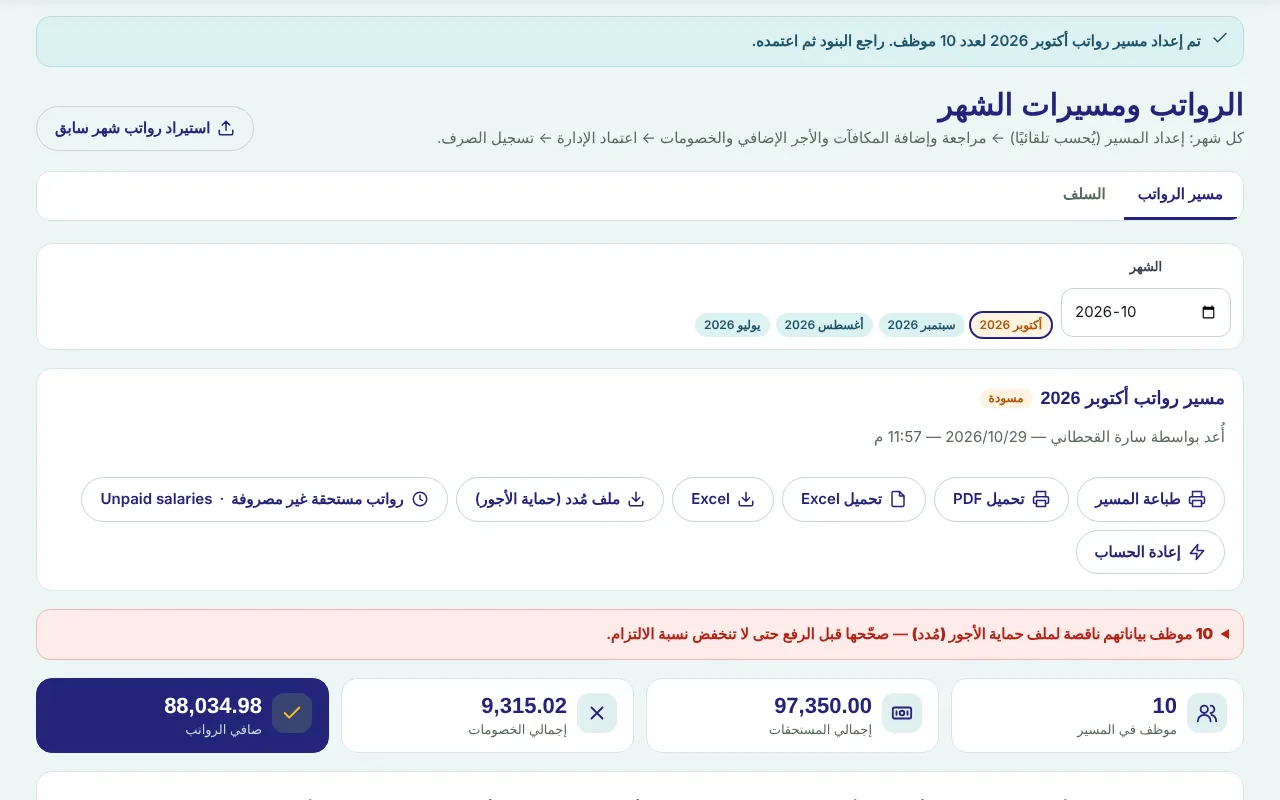
To adjust an employee press the gear icon on their row, change additions, deductions or working days, then “Save & recalculate” — or remove them from the payroll.
After any change in attendance, leave, penalties or employee files press “Recalculate”; manual items are kept.
Print with “Print payroll” or export to Excel for review.
The dashboard manager approves with “Approve payroll” (optionally emailing each employee their payslip).
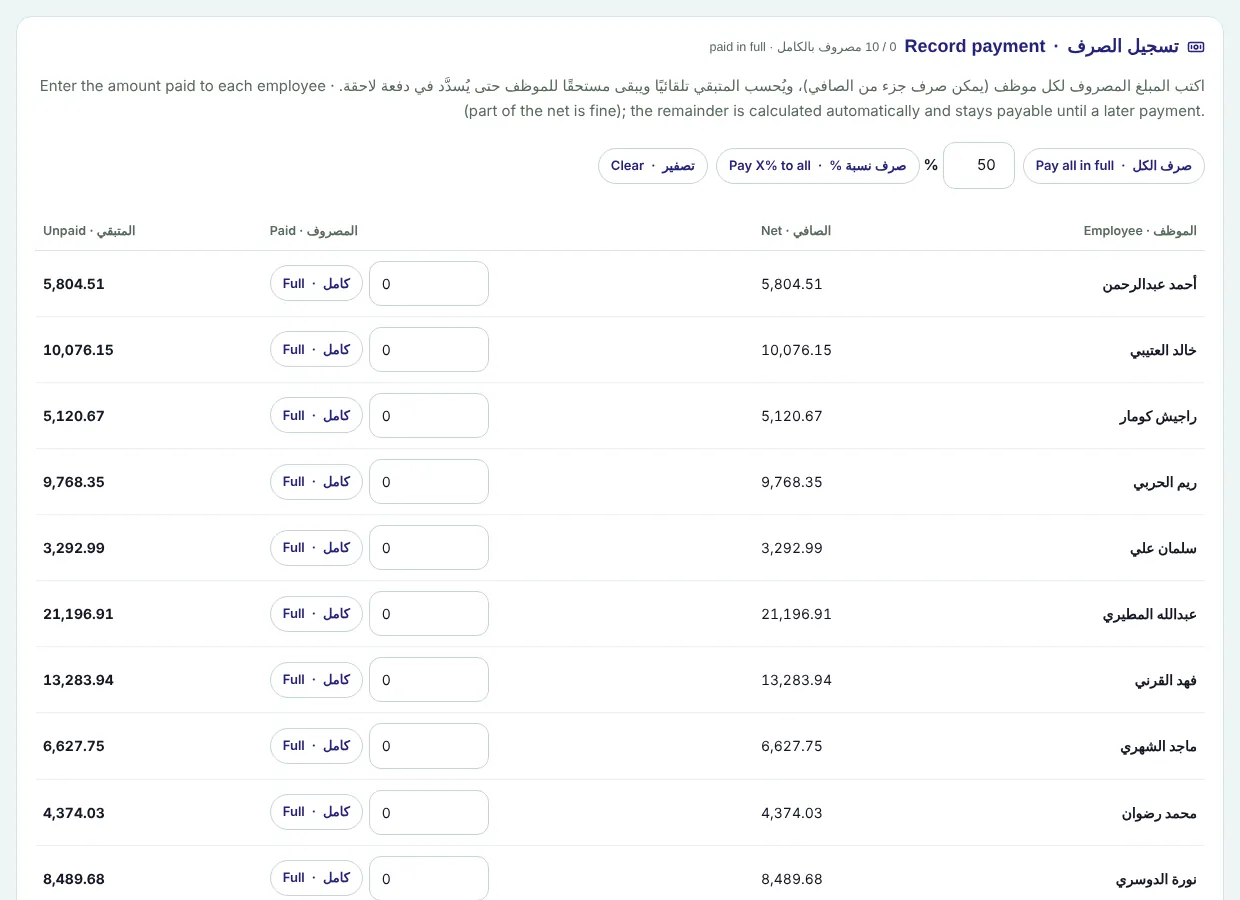
After the bank transfer record the payment under “Record payment”: select employees (none = everyone), payment date and transfer reference, then record.
| Column / item | Meaning |
|---|---|
| Days | Paid working days out of 30. |
| GOSI | The employee share is deducted automatically for everyone “Registered in GOSI”, on basic + housing capped at SAR 45,000, at the rate of their scheme — see GOSI under the new Social Insurance Law (from 3 July 2024). |
| Advances | Instalments due this month; deducted from the advance balance on approval. |
| Late / absence, penalties / leave | From attendance, penalties and unpaid leave, based on the daily wage. |
| Company GOSI share | Shown under the table and not deducted from the employee. |
Screenshots come from a demo copy with sample data.
Frequently asked questions
When does an employee see the payslip?
Only after the payroll is approved; drafts are not shown to employees.
Why was GOSI deducted from an unregistered employee?
Because “Registered in GOSI” is ticked in their file. Untick it under “Edit details”, then “Recalculate”.
Was this article helpful?
What could be better? (optional)
We only store vote counts — no personal data.