Issuing a custody and recording an expense
Management issues the custody; the expense is recorded with its receipt where it happens.
Issuing a custody and recording an expense
Silent — on-screen captions in Arabic
Accountant: issue a new custody
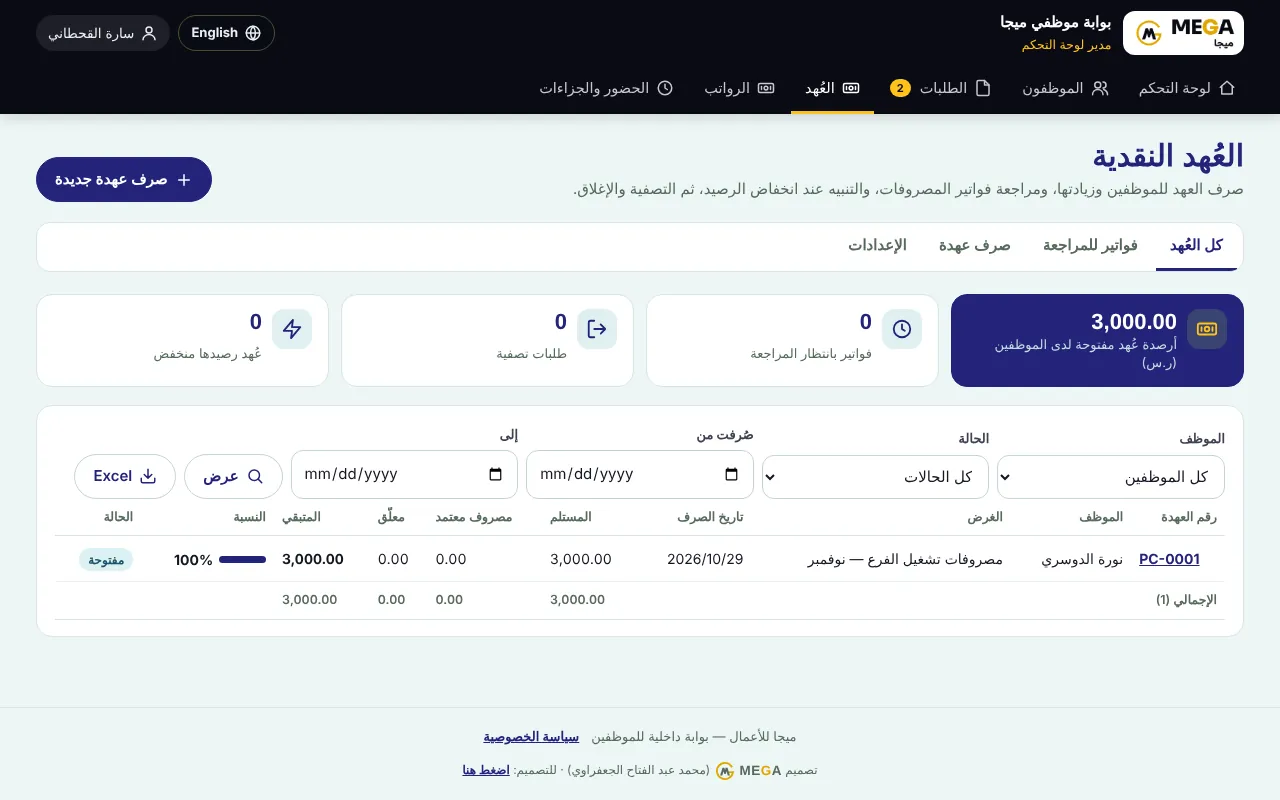
Open “Custodies” from the staff portal’s top menu. Cards: balance in open custodies, invoices awaiting review and open custodies.
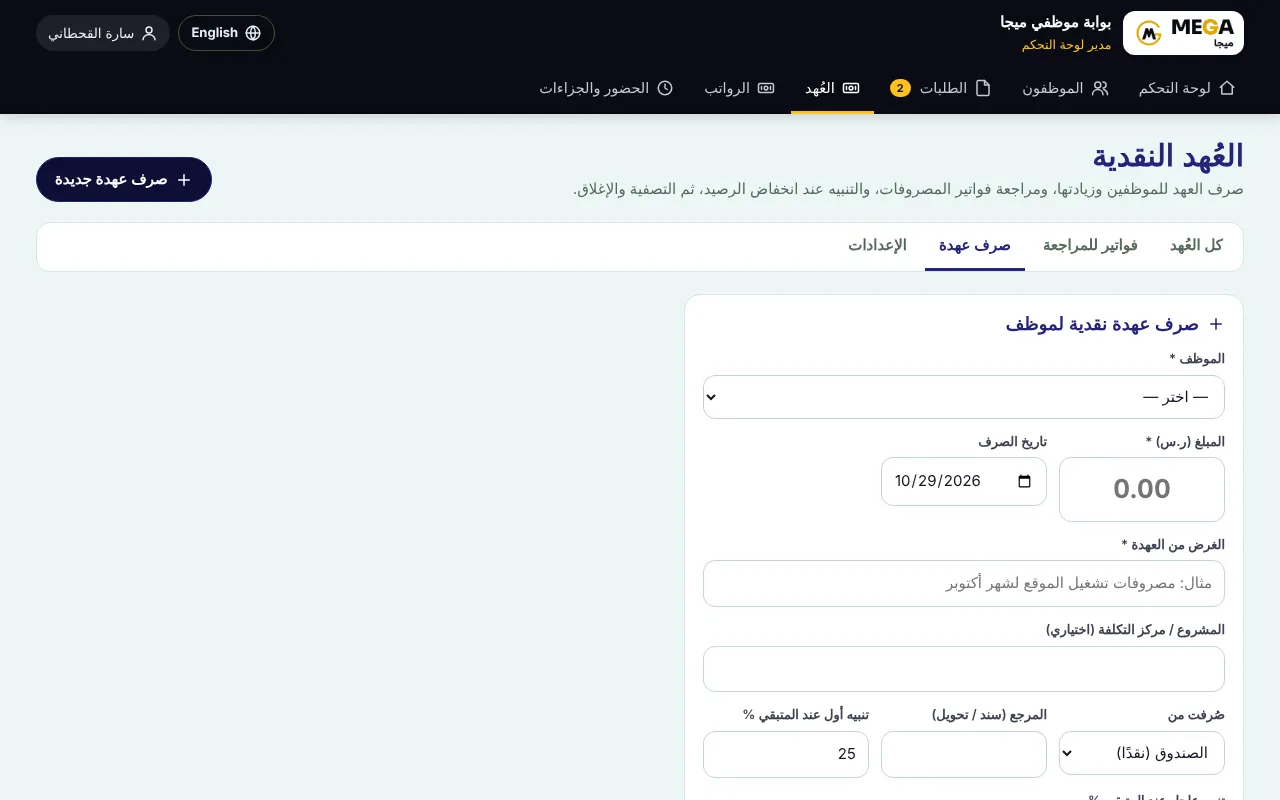
Press “Issue new custody”: choose the employee, purpose, amount, issue date, source (bank or cash) and alert limits.
Save; the custody appears in the table with its number, received, approved, pending, remaining and % used.
Employee: record an expense from the phone
In the employee portal → “My custody” → “Add expense invoice”.
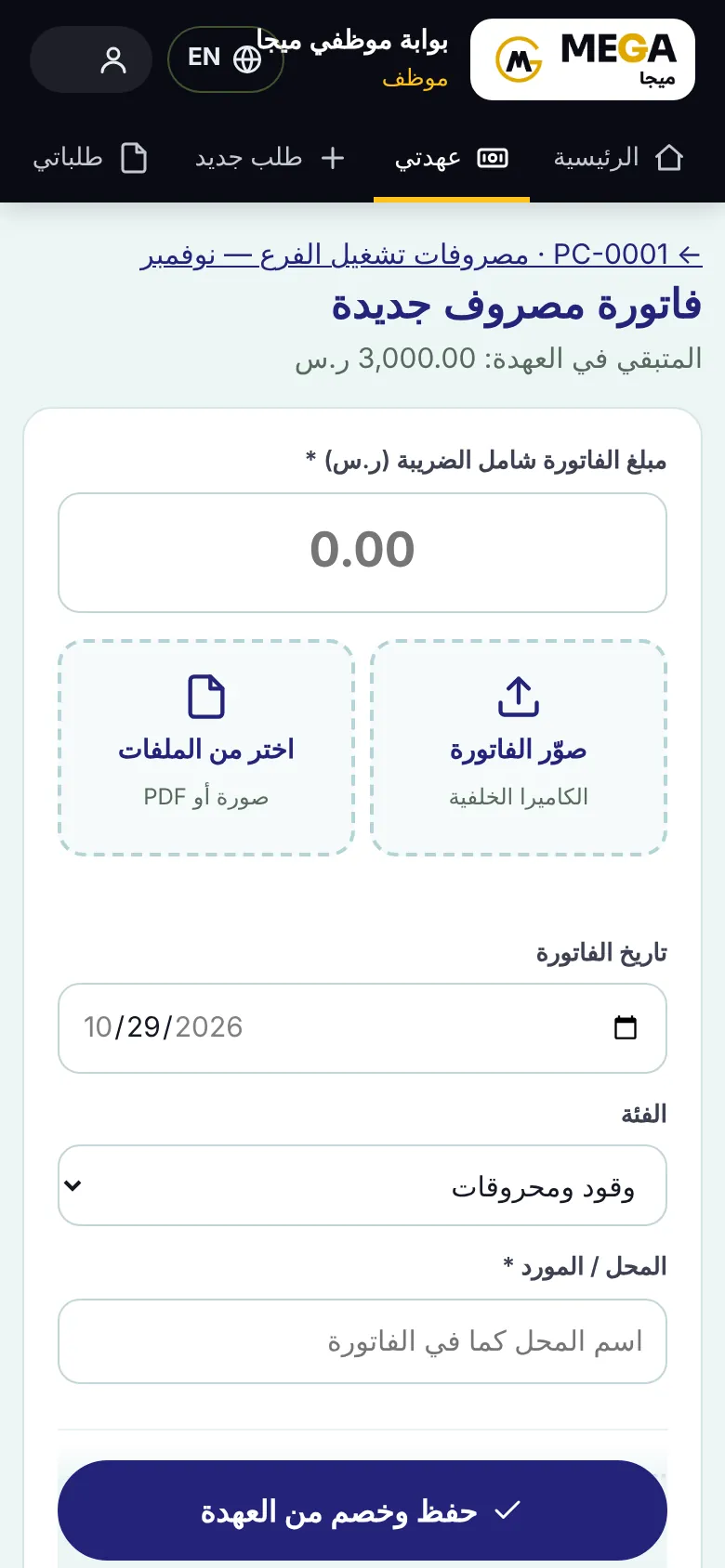
Type the “Invoice amount including VAT”.
“Photograph the invoice” opens the rear camera directly, or “Choose from files” (image or PDF).
Pick the “Invoice date” and “Category” (fuel, office supplies…) and type the “Shop / supplier”. VAT and invoice number are optional.
Press “Save and deduct from custody”. “Remaining in custody” shows at the top.
Screenshots come from a demo copy with sample data.
Was this article helpful?
What could be better? (optional)
We only store vote counts — no personal data.