Activating your MEGA licence
A code and a password — and the portals run on your domain at once.
Opening any portal before activation (or after the trial ends) shows the “Activate MEGA” screen.
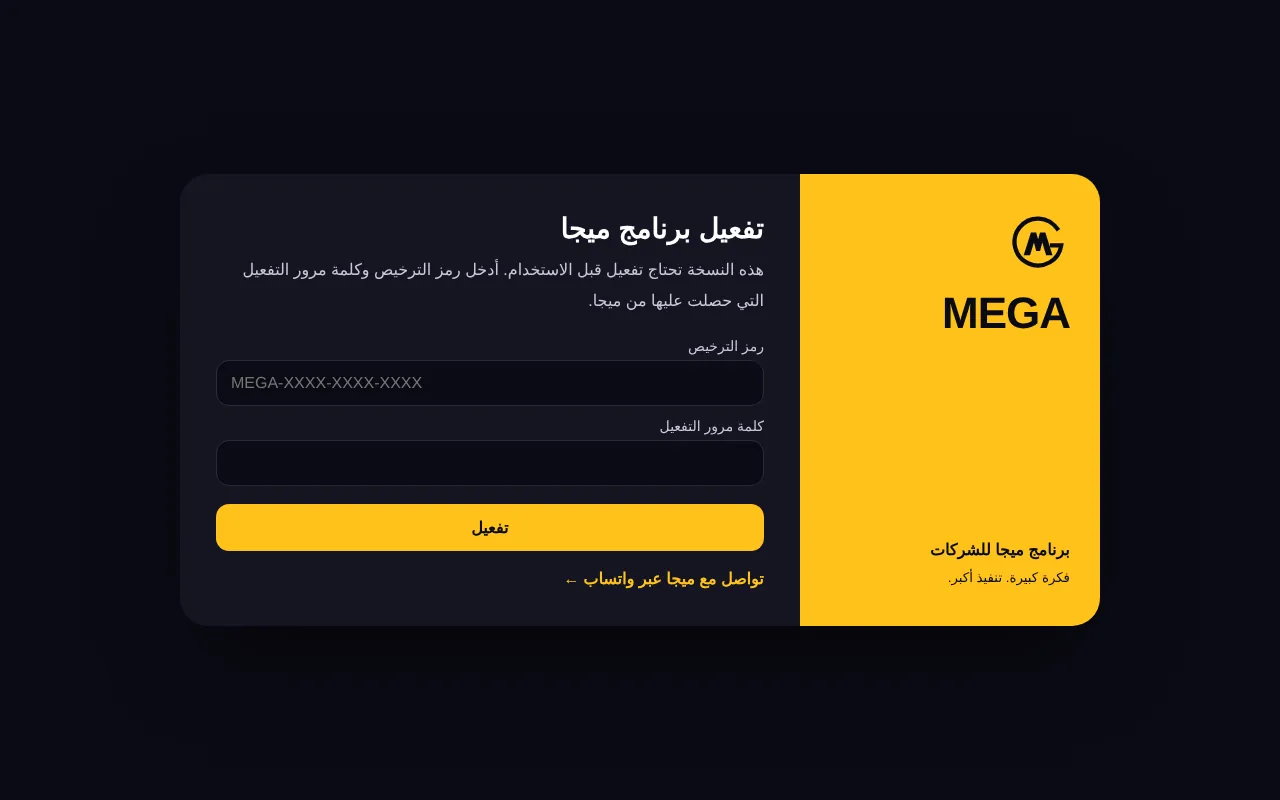
Enter the “Licence code” (MEGA-XXXX-XXXX-XXXX) and the “Activation password” exactly as received from MEGA.
Press “Activate”: the licence binds to your domain and the portals open immediately.
Licence states
| Title on the screen | Meaning and what to do |
|---|---|
| Trial ended | The trial copy is now read-only — enter your licence code. |
| Licence suspended | Suspended by MEGA (e.g. late payment) — contact MEGA to reactivate. |
| Licence check needs renewing | Your server could not reach the licence server for a while — check its internet connection. |
| Licence registered to another domain | The licence is bound to another site — MEGA moves it for you. |
Note In every case your data is kept. Press “Contact MEGA on WhatsApp”; once MEGA extends or reactivates, the portals open automatically within minutes (rechecked every 5 minutes while locked).
Important The activation password is not shown again after issue — keep it safe. Don’t share the code and password outside the company. Repeated wrong passwords are blocked temporarily.
Tip MEGA checks the licence daily, so the server must be online.
Screenshots come from a demo copy with sample data.
Frequently asked questions
Can the licence move to another domain?
It is bound to one domain. Contact MEGA to move it.
Is data deleted when the licence expires?
No. An expired or suspended licensed copy locks and shows the activation screen; the data stays as it is.
Was this article helpful?
What could be better? (optional)
We only store vote counts — no personal data.