Reading the financial statements and the FS pack
From a figure on the summary to the entry behind it in two clicks.
Reading the financial statements
Silent — on-screen captions in Arabic
The financial summary — your daily start screen
Open “Accounting”: the header shows the go-live date, lock date and last sync.
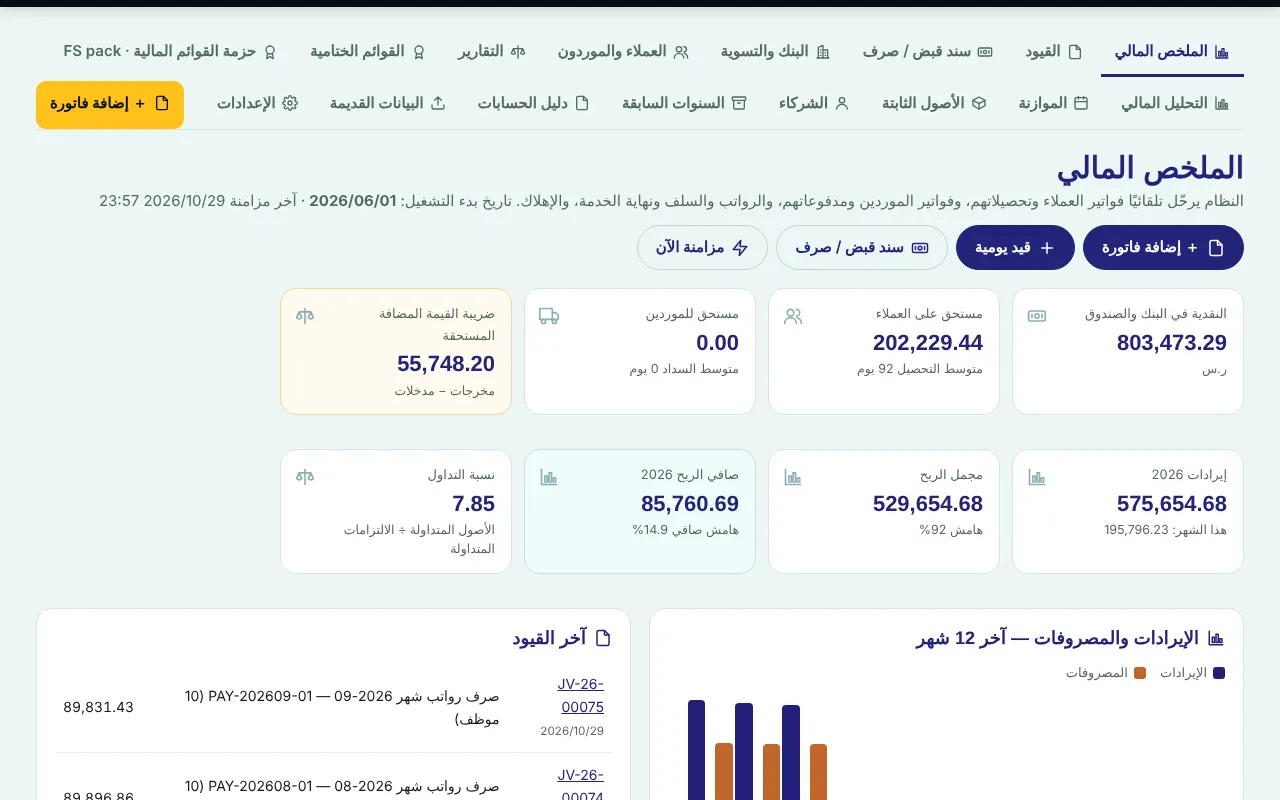
First row: cash in bank and cash box, due from clients (with average collection days), due to suppliers and VAT due.
Second row: revenue for the year, gross profit, net profit and current ratio — each KPI opens its report.
Handle every item under “Needs your attention” by clicking it (drafts, bank lines, a balance on 3999, imbalance).
Income statement
“Reports” → “Income statement” (year to date by default); set “From” and “To”.
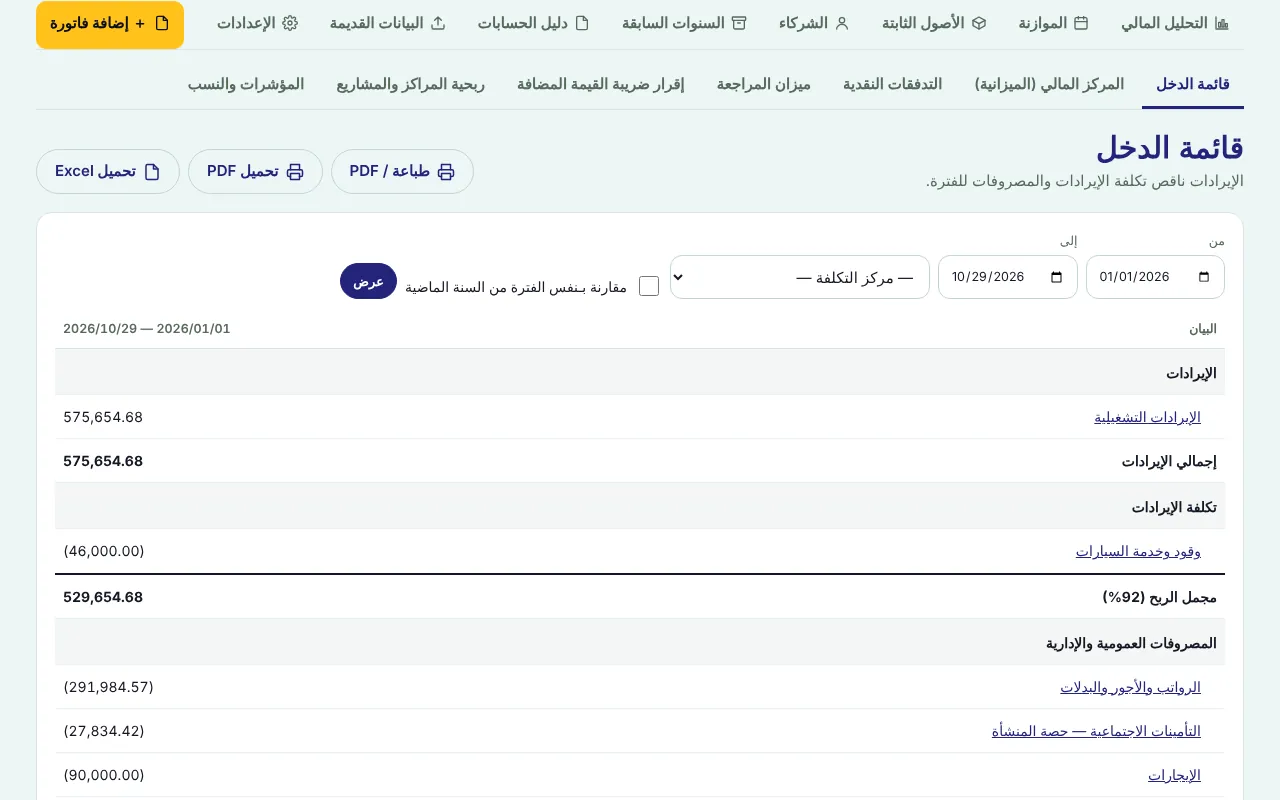
For a specific project or activity choose the “Cost centre”.
Tick “Compare with the same period last year” for a comparative column and change %, then “Show”.
Click any account to open the ledger and reach the entries behind the figure, then “Print / PDF”.
Balance sheet
“Reports” → “Financial position (balance sheet)”, set “As at” and tick the comparison with last year end.
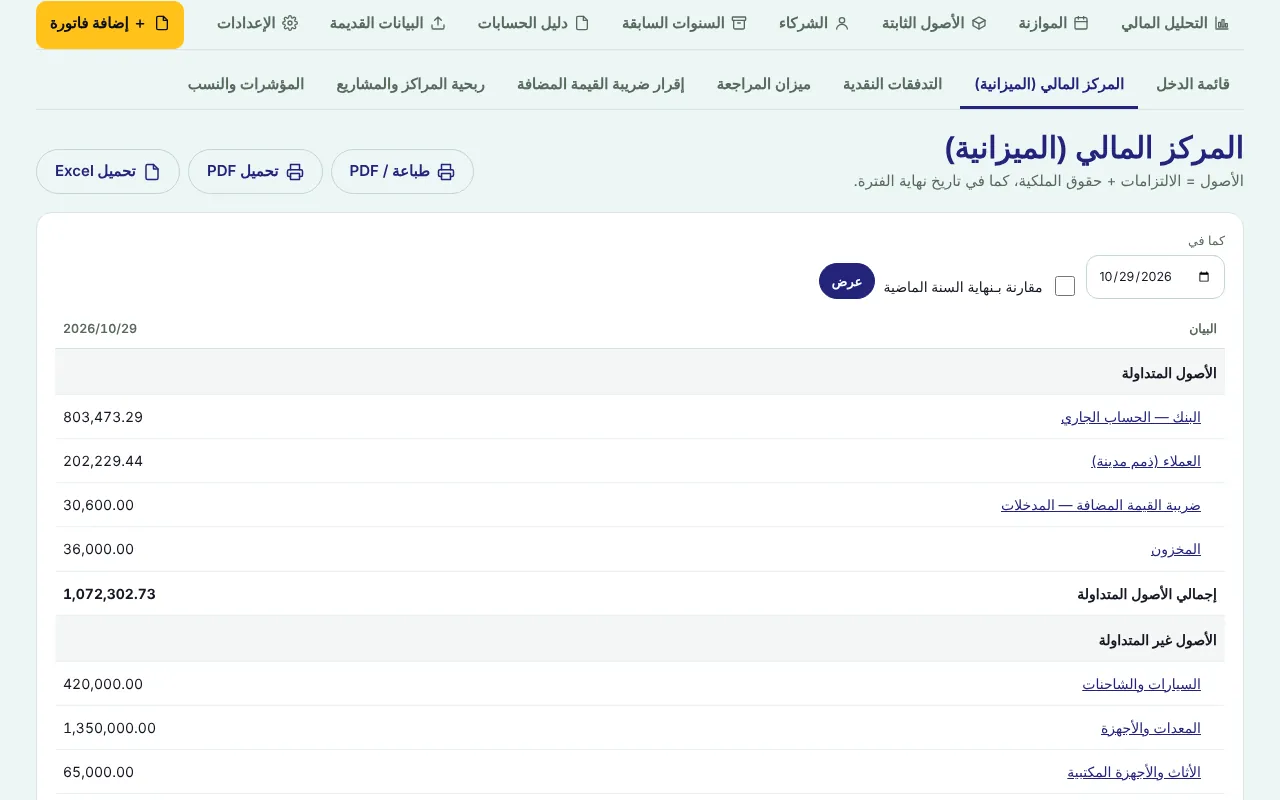
Confirm the “✓ Balanced” message under the table and the current ratio.
Check unusual items: a negative bank, a balance on 3999, clients with credit balances.
The financial statements pack
Open “Financial statements pack · FS pack”.
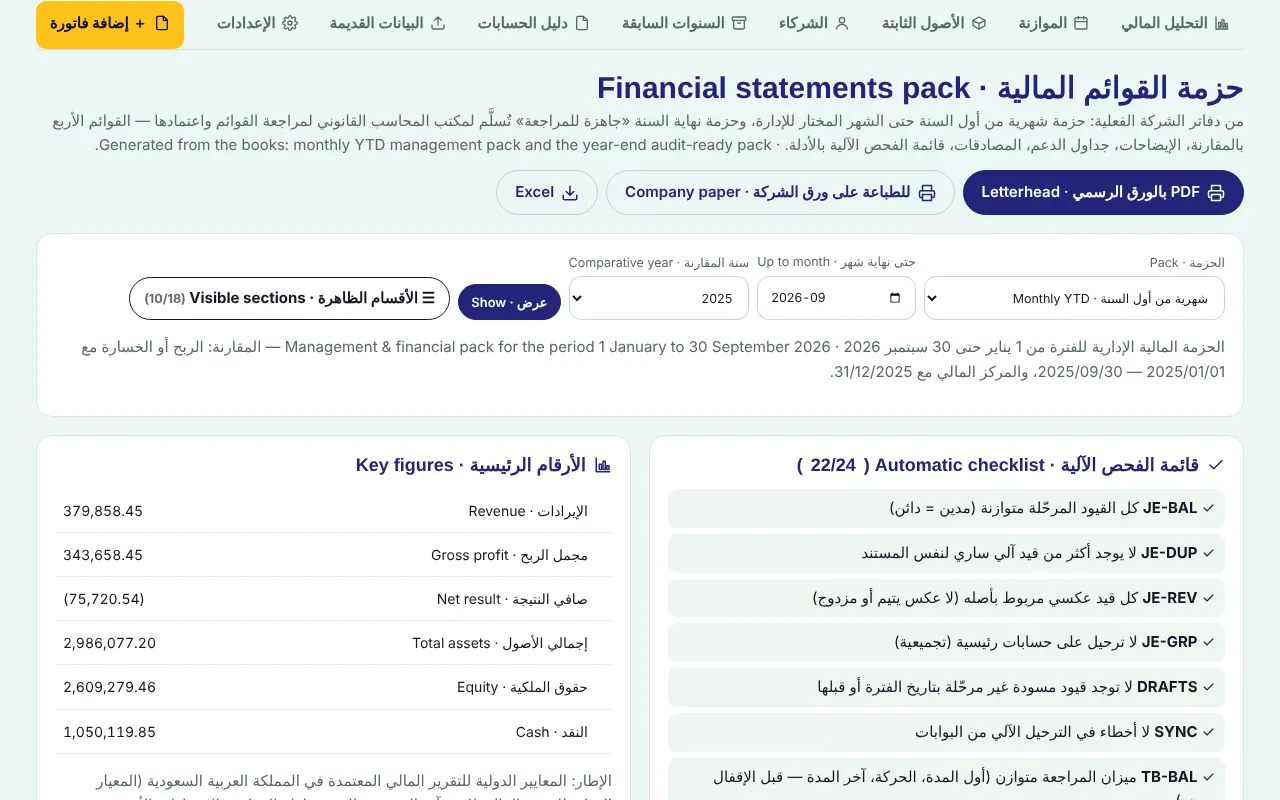
Choose the pack: “Monthly YTD” for the management meeting, or “Year-end (audit-ready)”, then the month and comparative year, and “Show”.
The “Automatic checklist” appears with each check and its evidence, plus “Key figures”: revenue, gross profit, net profit, assets, equity, cash.
Fix any ✗, then download “Letterhead PDF”, “Company paper” or “Excel”.
Screenshots come from a demo copy with sample data.
Was this article helpful?
What could be better? (optional)
We only store vote counts — no personal data.